
Pocket Universe — ADHD/ND Notion Planner
🌌 Pocket Planner: Your Complete ADHD-Friendly Notion System
Most Notion templates are just pretty storage containers. This one actually thinks.
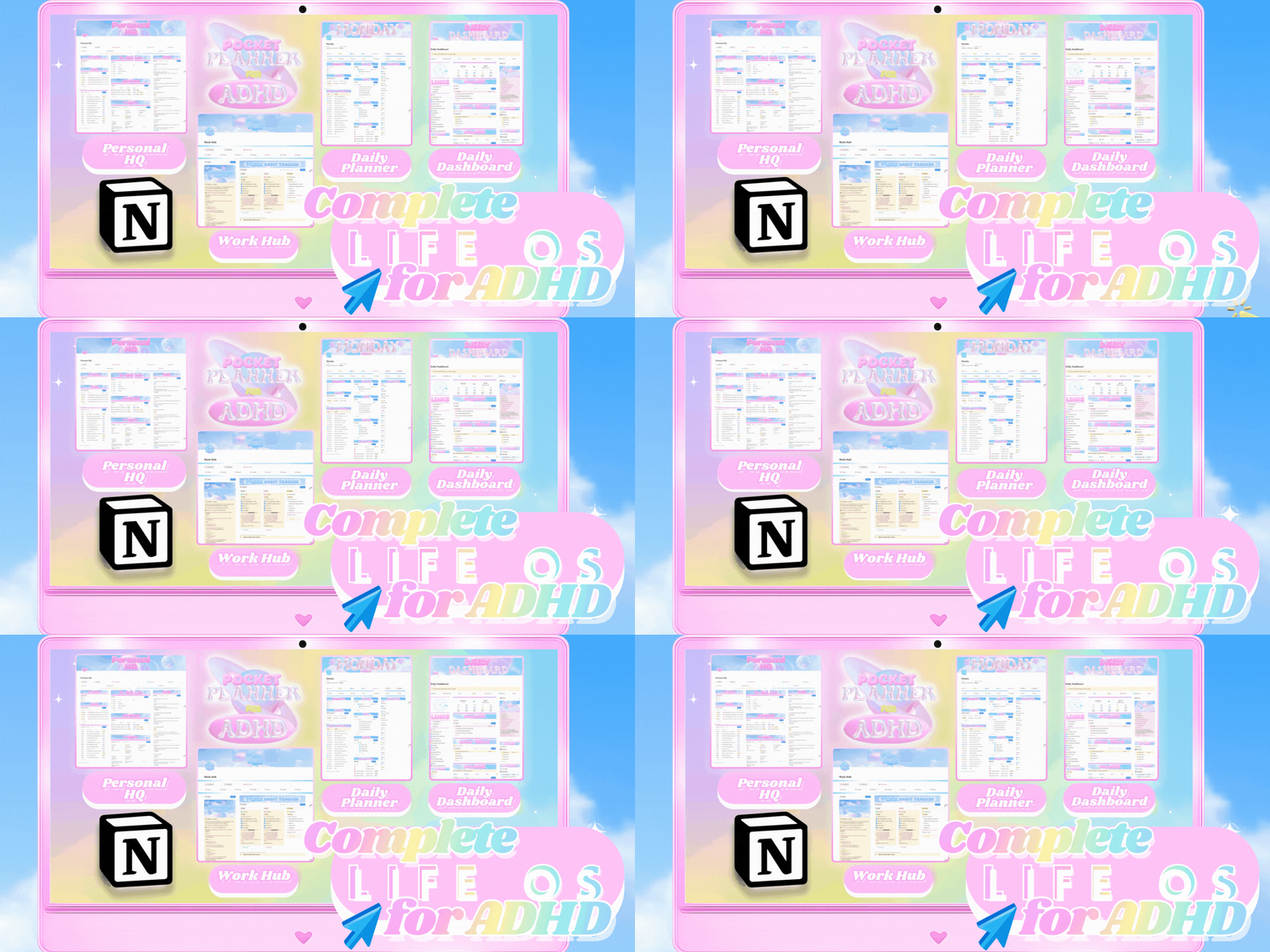
Pocket Planner is a complete productivity ecosystem designed for how your brain actually works—calm on the eyes, kind to motivation, and powerful when life gets busy.
Questions?
Email me
✨ What Makes This Different
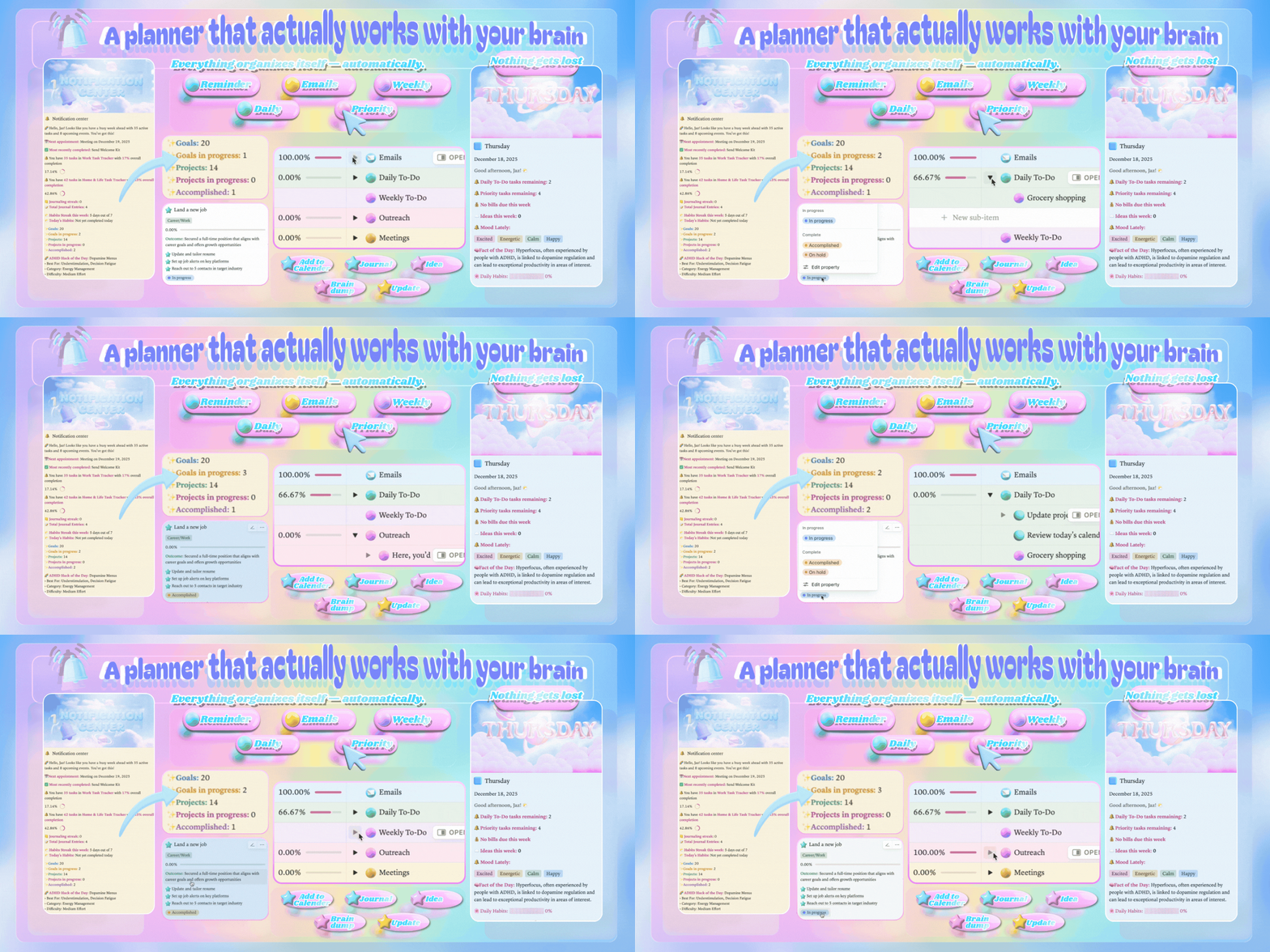
✨The Notification Center is pull-based on purpose: you check it when you're ready, so awareness never becomes interruption. See exactly where you stand—6 goals total, 5 in progress, 34 work tasks left—in 3 seconds.
✨Your most important items are redundant on purpose. They reappear in Today, Week, and your feed so nothing slips on foggy days.
✨The databases talk to each other. Enter information once, and it appears everywhere you need it. Bills auto-sync to Calendar. Tasks with deadlines flow to your timeline. Meeting tasks populate automatically. Habit completion creates timestamped entries. Monthly bills reschedule themselves.
✨One-tap resets meet you with a fresh start instead of shame. Habit Tracker covers Monday through Sunday with progress bars and encouraging messages. The single-scroll Daily Dashboard keeps everything in one gentle sweep—priorities, notes, projects, mood menu, and quick capture right under your thumb.
✨When it's time to lock in, navigation between all pages is seamless. Because every page is cross-linked, you move inside one cohesive ecosystem—not hopping between tabs or digging through tables.
✨From type size and whitespace to tap targets and color restraint, each choice lowers cognitive load and makes progress feel natural.
📊 3 Core Dashboards
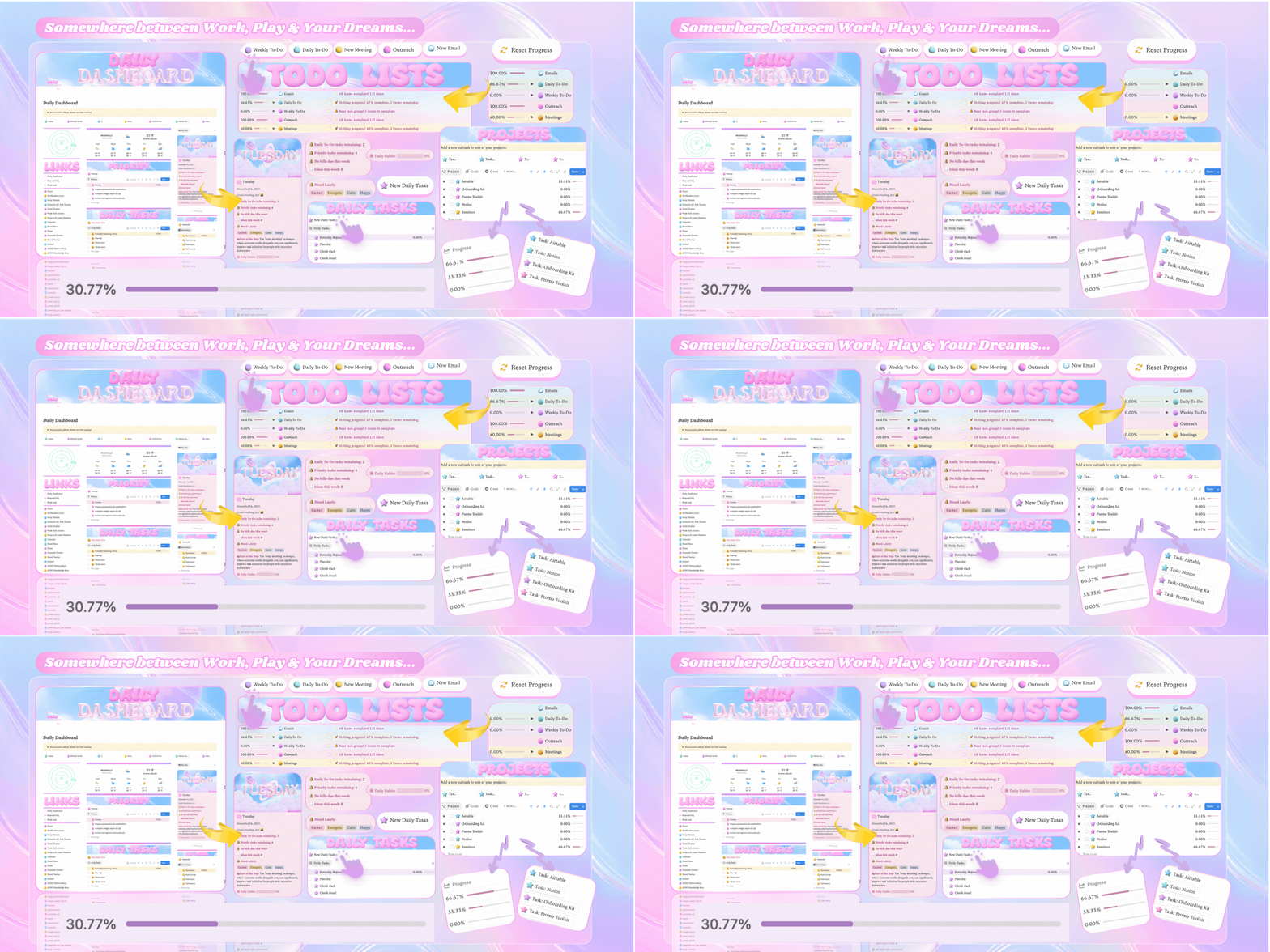
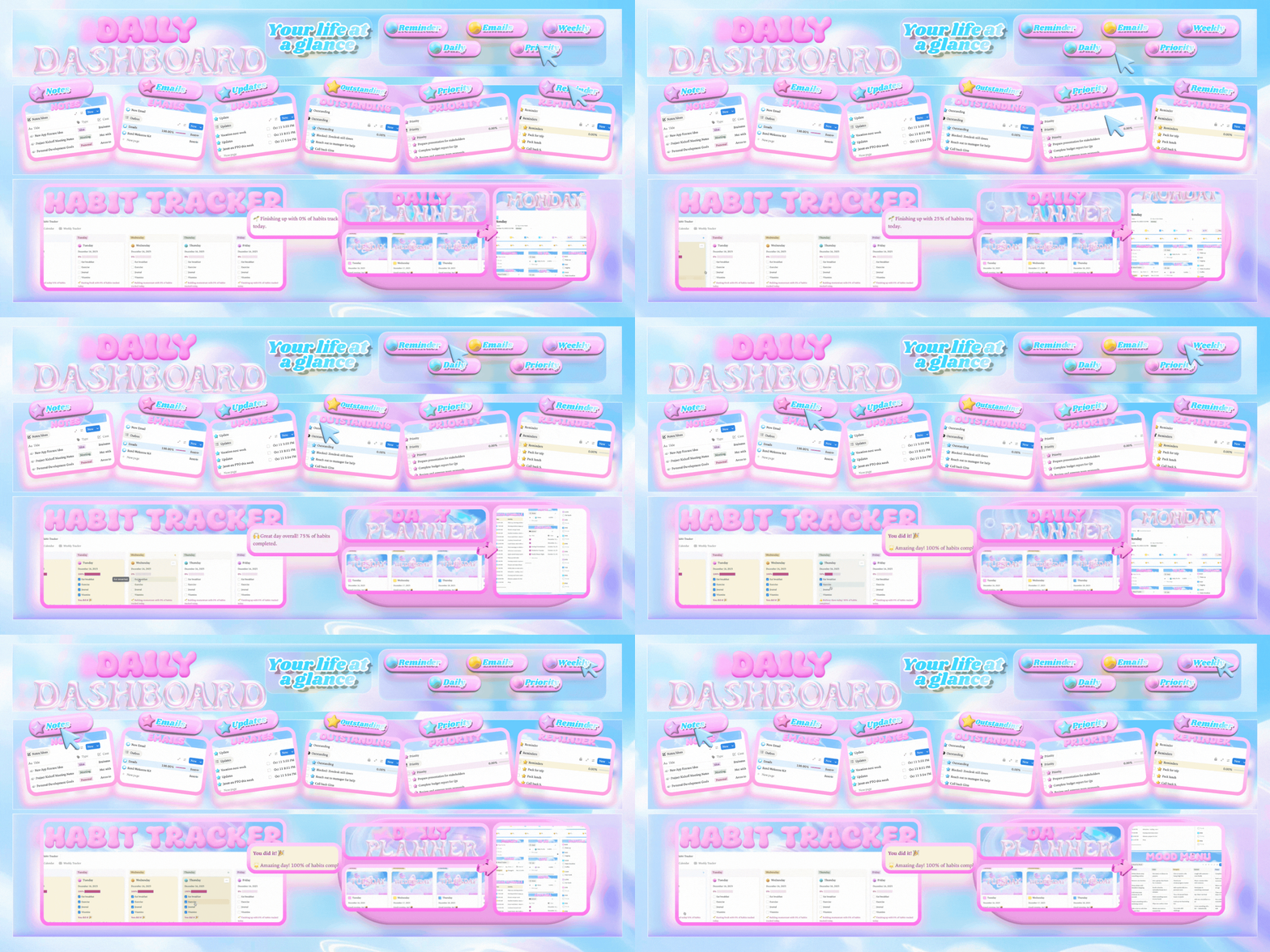
✨Daily Dashboard — Your Morning Command Center
Everything for today, one scroll:
Quick Capture buttons (Done, Email, Week, Note, Idea) add tasks in 3 seconds
Links section for fast navigation to all your pages
Priorities view with your most important tasks
Projects with progress tracking
Mood Menu with 72 actions across 8 moods
Reminders so nothing slips
Habit Tracker (Monday–Sunday) with progress bars
Notes, Emails, and Updates sections
To-Do Lists organized by category
Daily Planner board showing the full week
Zero tab switching required
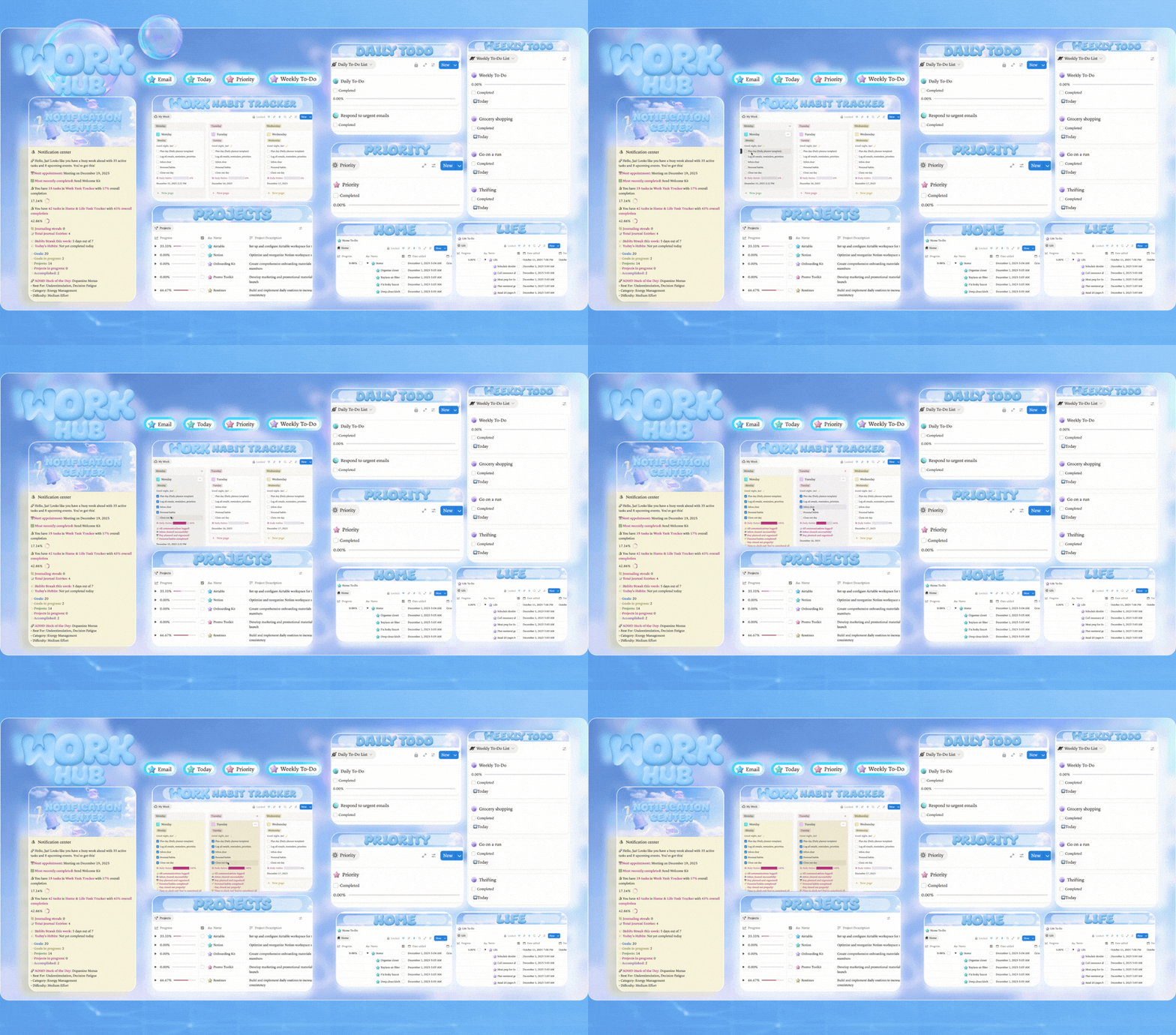
✨Work Hub — All Your Work, One View
Your professional command center:
Notification Center showing real-time stats (goals, projects, tasks, completion %, streaks)
Work Habit Tracker (Monday–Friday) with progress bars
Calendar with smart integrations
Reminders surfaced automatically
Notes for quick capture
Priorities, Daily To-Do, and Weekly To-Do side-by-side
Emails tracking and follow-ups
Projects table with full context
Life and Home task anchors at bottom so you plan realistically
✨Personal HQ — Life Admin Organized
Where real life gets structured:
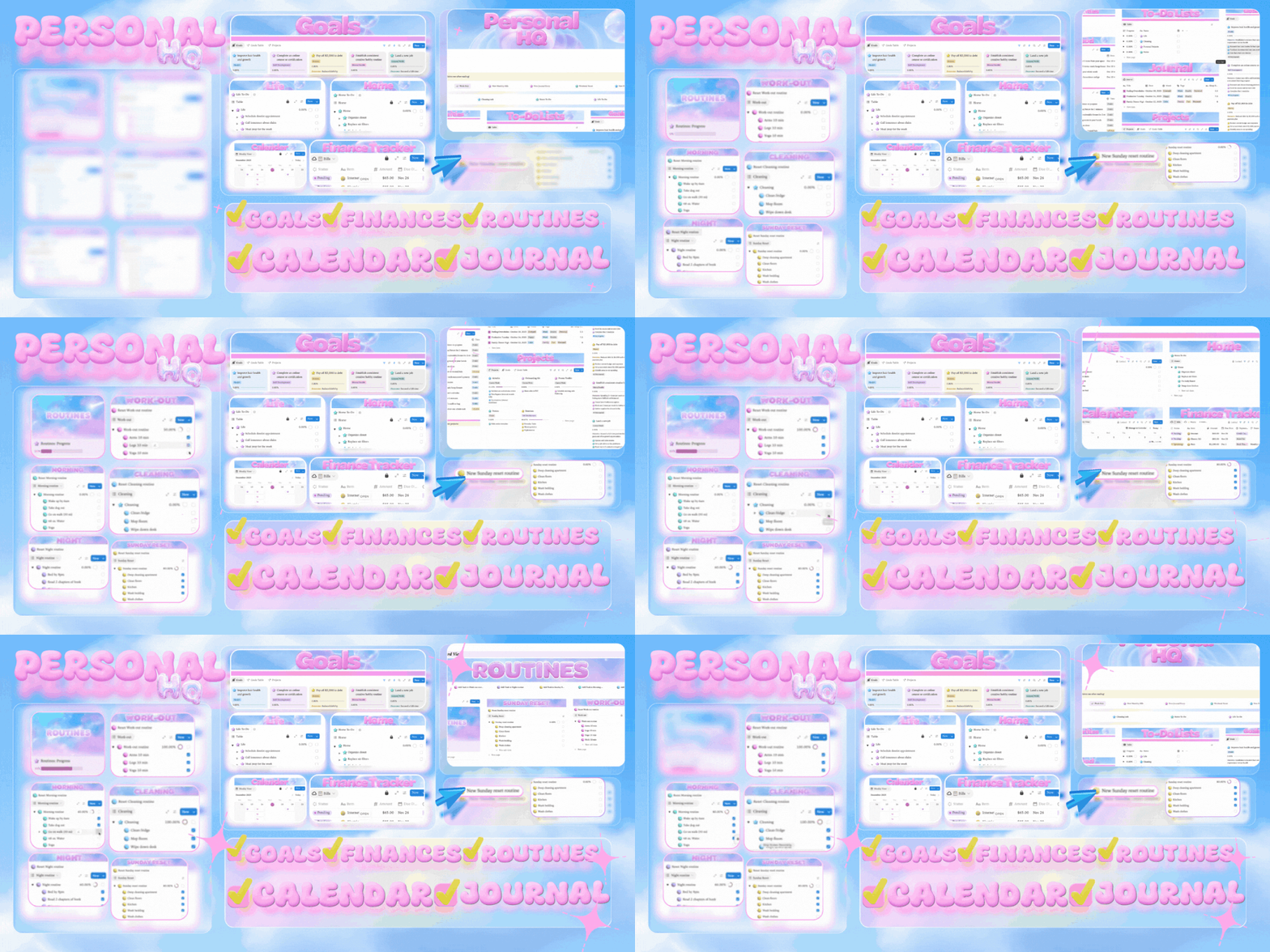
Quick action buttons at top (New Goal, Cleaning List, Home To-Do, Life To-Do, Weekend Reset)
Phases for life seasons
To-Do Lists organized and visible
Goals with progress tracking
Journal integrated with your daily flow
Projects (personal)
Life and Home task management
Calendar with weekly/monthly views
Financial Tracker with bills and expenses
Routines (Morning, Cleaning, Night, Work-Out, Sunday Reset) with progress bars and affirmations
📅 Smart Calendar Integrations
Your Pocket Planner keeps everything in sync automatically—no double-entry, no manual updates.
✨How it works:
Bills auto-sync to Calendar when you add due dates in Financial Tracker
Tasks with deadlines flow to your timeline automatically
Meeting tasks sync seamlessly with full context
Calendar events surface in Notification Center so nothing sneaks up on you
Habit completion creates timestamped Calendar entries
Monthly bills auto-update and roll forward after completion
Why it matters: You enter information once, in the place that makes sense, and it appears everywhere you need it.
🔔 Notification Center
Your command center shows you exactly where you stand—instantly.
Goals & Projects overview — total goals, in-progress goals, total projects, in-progress projects
Task completion stats — Work tasks (with %), Home & Life tasks (with %), all with live progress bars
Habit streaks — current consecutive days tracked automatically
Recently completed — latest wins with timestamps
Next appointment — upcoming calendar event pulled from your Calendar
ADHD Hack of the Day — rotating tips from your ADHD Hacks Library
The difference: This isn't notification overload—it's awareness on demand. Check when you need orientation, not when an alert interrupts you.
🗓️ Habit Tracker — Monday Through Sunday
Full week tracking with visual momentum:
Board view with columns for each day (Monday → Sunday)
Checkbox-based habit tracking
Progress bars per day showing % complete
Encouraging messages ("You did it!", "Starting fresh!", "Building momentum!")
Color-coded days for quick visual scanning
Locked layout so you interact without breaking structure
Visible on Daily Dashboard and integrated throughout
🗓️ Daily Planner Pages (Mon–Sun)
Each day available as a focused page when you need deeper planning:
Available from Daily Dashboard's planner board
Optional time-blocking layout
Linked to all your databases
Use as much or as little structure as you want
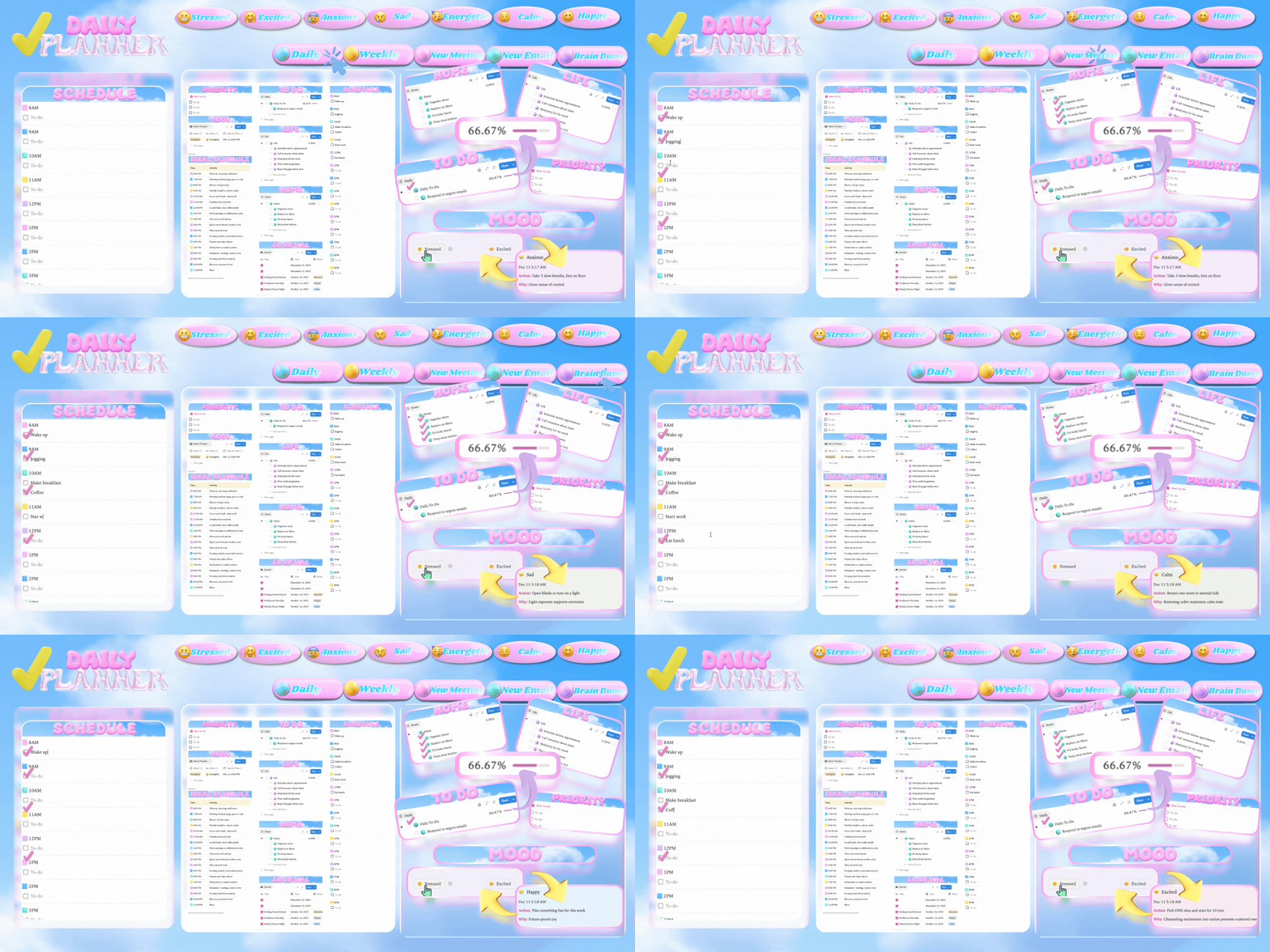
🎭 Mood Menu — 72 Actions Across 8 Moods
When you don't know what to do, let your mood guide you.
8 mood categories: Overwhelmed, Restless, Drained, Foggy, Anxious, Motivated, Creative, Social
9 actions per mood with effort level, time estimate, and "why this helps"
3 database views: Table by Mood, Board by Mood, Gallery by Effort Level
Visible on Daily Dashboard for instant access
No more decision paralysis—pick a mood, pick an action, move forward.
💰 Financial Tracker
Track money without spreadsheet overwhelm:
Bills database with due dates that auto-sync to Calendar
Monthly bills auto-update after completion
Wants vs. Needs tracking
Quick-capture buttons for expenses
Progress tracking on purchases
Visual clarity without guilt
Integrated into Personal HQ
📚 ADHD Support System
ADHD Hacks Library with 20+ practical strategies
ADHD Knowledge Base with evidence-based content
Gentle resets built into every dashboard
No-guilt re-entry — the system welcomes you back
Visual progress everywhere — see your wins, not your gaps
Locked sections prevent accidental layout changes while staying fully interactive
✨ Complete Feature List
✨Quick Capture & Entry:
One-tap Quick Capture buttons throughout (Done, Email, Week, Note, Idea)
Pre-labeled entry that auto-routes to correct location
No property fiddling required
✨Task & Project Management:
Work Task Tracker
Home & Life Task Tracker
Projects & Goals database with progress tracking
Priority views throughout
Email & Follow-Up tracking
Outstanding/Blocked items queue
To-Do Lists organized by context
✨Habits & Routines:
Full Week Habit Tracker (Monday–Sunday) with progress bars
Encouraging micro-copy ("You did it!", "Starting fresh!")
Automatic streak tracking
One-tap resets
Routines for Morning, Night, Cleaning, Work-Out, Sunday Reset
✨Calendar System:
Integrated Calendar database
Auto-sync from bills, tasks, and meetings
Habit completion auto-logs entries
Monthly bill auto-rescheduling
Weekly/Monthly toggle views
Visible in both Work Hub and Personal HQ
✨Navigation & Links:
Links section on Daily Dashboard for fast access
Cross-linked pages throughout
Seamless movement between all dashboards
✨Life Management:
Financial Tracker
Meal Tracker (with starter recipes)
Journal database
Notes database
Mood Tracker with visual tags
Goals tracking with progress
✨Automation & Intelligence:
Cross-database relations
Rollup formulas for progress tracking
Auto-surfacing of priority items
Smart filtering across views
Template buttons for recurring tasks
✨Visual Design:
Pastel gradient headers throughout
Generous whitespace and big type
Color-coded sections for quick scanning
Locked layouts that stay stable
Beautiful, calming aesthetic
🎯 Who This Is For
Creative professionals juggling multiple projects
ADHD brains who need visual structure without rigidity
Solopreneurs managing work + life in one system
Anyone overwhelmed by scattered task managers
People who've tried Notion and found it too complex
Users who want powerful features without the setup headache
✅ What's Included
3 Core Dashboards (Daily Dashboard, Work Hub, Personal HQ)
Daily Planner Pages (Monday–Sunday)
18+ Integrated Databases
Smart Calendar System with auto-sync
Notification Center (pull-based awareness)
Mood Menu (72 actions across 8 moods)
Full Week Habit Tracker (Monday–Sunday)
ADHD Hacks Library (20+ entries)
ADHD Knowledge Base
Financial Tracker with auto-updating bills
Routines System (Morning, Night, Cleaning, Work-Out, Sunday Reset)
Journal & Notes Systems
Quick Capture Buttons throughout
Links Section for fast navigation
Welcome & Setup Guide
Sample data to show you how it works
🚀 Setup Time
10–15 minutes with guided callouts. The system includes sample data and friendly instructions throughout—you'll know exactly what to do.
📱 Requirements
Free or paid Notion account (works on both)
Desktop and mobile compatible
Single-scroll layout optimized for all devices
No coding or advanced Notion knowledge required
🌌 Pocket Planner: Your Complete ADHD-Friendly Notion System
Most Notion templates are just pretty storage containers. This one actually thinks.
Pocket Planner is a complete productivity ecosystem designed for how your brain actually works—calm on the eyes, kind to motivation, and powerful when life gets busy.
Questions?
Email me
✨ What Makes This Different
✨The Notification Center is pull-based on purpose: you check it when you're ready, so awareness never becomes interruption. See exactly where you stand—6 goals total, 5 in progress, 34 work tasks left—in 3 seconds.
✨Your most important items are redundant on purpose. They reappear in Today, Week, and your feed so nothing slips on foggy days.
✨The databases talk to each other. Enter information once, and it appears everywhere you need it. Bills auto-sync to Calendar. Tasks with deadlines flow to your timeline. Meeting tasks populate automatically. Habit completion creates timestamped entries. Monthly bills reschedule themselves.
✨One-tap resets meet you with a fresh start instead of shame. Habit Tracker covers Monday through Sunday with progress bars and encouraging messages. The single-scroll Daily Dashboard keeps everything in one gentle sweep—priorities, notes, projects, mood menu, and quick capture right under your thumb.
✨When it's time to lock in, navigation between all pages is seamless. Because every page is cross-linked, you move inside one cohesive ecosystem—not hopping between tabs or digging through tables.
✨From type size and whitespace to tap targets and color restraint, each choice lowers cognitive load and makes progress feel natural.
📊 3 Core Dashboards
✨Daily Dashboard — Your Morning Command Center
Everything for today, one scroll:
Quick Capture buttons (Done, Email, Week, Note, Idea) add tasks in 3 seconds
Links section for fast navigation to all your pages
Priorities view with your most important tasks
Projects with progress tracking
Mood Menu with 72 actions across 8 moods
Reminders so nothing slips
Habit Tracker (Monday–Sunday) with progress bars
Notes, Emails, and Updates sections
To-Do Lists organized by category
Daily Planner board showing the full week
Zero tab switching required
✨Work Hub — All Your Work, One View
Your professional command center:
Notification Center showing real-time stats (goals, projects, tasks, completion %, streaks)
Work Habit Tracker (Monday–Friday) with progress bars
Calendar with smart integrations
Reminders surfaced automatically
Notes for quick capture
Priorities, Daily To-Do, and Weekly To-Do side-by-side
Emails tracking and follow-ups
Projects table with full context
Life and Home task anchors at bottom so you plan realistically
✨Personal HQ — Life Admin Organized
Where real life gets structured:
Quick action buttons at top (New Goal, Cleaning List, Home To-Do, Life To-Do, Weekend Reset)
Phases for life seasons
To-Do Lists organized and visible
Goals with progress tracking
Journal integrated with your daily flow
Projects (personal)
Life and Home task management
Calendar with weekly/monthly views
Financial Tracker with bills and expenses
Routines (Morning, Cleaning, Night, Work-Out, Sunday Reset) with progress bars and affirmations
📅 Smart Calendar Integrations
Your Pocket Planner keeps everything in sync automatically—no double-entry, no manual updates.
✨How it works:
Bills auto-sync to Calendar when you add due dates in Financial Tracker
Tasks with deadlines flow to your timeline automatically
Meeting tasks sync seamlessly with full context
Calendar events surface in Notification Center so nothing sneaks up on you
Habit completion creates timestamped Calendar entries
Monthly bills auto-update and roll forward after completion
Why it matters: You enter information once, in the place that makes sense, and it appears everywhere you need it.
🔔 Notification Center
Your command center shows you exactly where you stand—instantly.
Goals & Projects overview — total goals, in-progress goals, total projects, in-progress projects
Task completion stats — Work tasks (with %), Home & Life tasks (with %), all with live progress bars
Habit streaks — current consecutive days tracked automatically
Recently completed — latest wins with timestamps
Next appointment — upcoming calendar event pulled from your Calendar
ADHD Hack of the Day — rotating tips from your ADHD Hacks Library
The difference: This isn't notification overload—it's awareness on demand. Check when you need orientation, not when an alert interrupts you.
🗓️ Habit Tracker — Monday Through Sunday
Full week tracking with visual momentum:
Board view with columns for each day (Monday → Sunday)
Checkbox-based habit tracking
Progress bars per day showing % complete
Encouraging messages ("You did it!", "Starting fresh!", "Building momentum!")
Color-coded days for quick visual scanning
Locked layout so you interact without breaking structure
Visible on Daily Dashboard and integrated throughout
🗓️ Daily Planner Pages (Mon–Sun)
Each day available as a focused page when you need deeper planning:
Available from Daily Dashboard's planner board
Optional time-blocking layout
Linked to all your databases
Use as much or as little structure as you want
🎭 Mood Menu — 72 Actions Across 8 Moods
When you don't know what to do, let your mood guide you.
8 mood categories: Overwhelmed, Restless, Drained, Foggy, Anxious, Motivated, Creative, Social
9 actions per mood with effort level, time estimate, and "why this helps"
3 database views: Table by Mood, Board by Mood, Gallery by Effort Level
Visible on Daily Dashboard for instant access
No more decision paralysis—pick a mood, pick an action, move forward.
💰 Financial Tracker
Track money without spreadsheet overwhelm:
Bills database with due dates that auto-sync to Calendar
Monthly bills auto-update after completion
Wants vs. Needs tracking
Quick-capture buttons for expenses
Progress tracking on purchases
Visual clarity without guilt
Integrated into Personal HQ
📚 ADHD Support System
ADHD Hacks Library with 20+ practical strategies
ADHD Knowledge Base with evidence-based content
Gentle resets built into every dashboard
No-guilt re-entry — the system welcomes you back
Visual progress everywhere — see your wins, not your gaps
Locked sections prevent accidental layout changes while staying fully interactive
✨ Complete Feature List
✨Quick Capture & Entry:
One-tap Quick Capture buttons throughout (Done, Email, Week, Note, Idea)
Pre-labeled entry that auto-routes to correct location
No property fiddling required
✨Task & Project Management:
Work Task Tracker
Home & Life Task Tracker
Projects & Goals database with progress tracking
Priority views throughout
Email & Follow-Up tracking
Outstanding/Blocked items queue
To-Do Lists organized by context
✨Habits & Routines:
Full Week Habit Tracker (Monday–Sunday) with progress bars
Encouraging micro-copy ("You did it!", "Starting fresh!")
Automatic streak tracking
One-tap resets
Routines for Morning, Night, Cleaning, Work-Out, Sunday Reset
✨Calendar System:
Integrated Calendar database
Auto-sync from bills, tasks, and meetings
Habit completion auto-logs entries
Monthly bill auto-rescheduling
Weekly/Monthly toggle views
Visible in both Work Hub and Personal HQ
✨Navigation & Links:
Links section on Daily Dashboard for fast access
Cross-linked pages throughout
Seamless movement between all dashboards
✨Life Management:
Financial Tracker
Meal Tracker (with starter recipes)
Journal database
Notes database
Mood Tracker with visual tags
Goals tracking with progress
✨Automation & Intelligence:
Cross-database relations
Rollup formulas for progress tracking
Auto-surfacing of priority items
Smart filtering across views
Template buttons for recurring tasks
✨Visual Design:
Pastel gradient headers throughout
Generous whitespace and big type
Color-coded sections for quick scanning
Locked layouts that stay stable
Beautiful, calming aesthetic
🎯 Who This Is For
Creative professionals juggling multiple projects
ADHD brains who need visual structure without rigidity
Solopreneurs managing work + life in one system
Anyone overwhelmed by scattered task managers
People who've tried Notion and found it too complex
Users who want powerful features without the setup headache
✅ What's Included
3 Core Dashboards (Daily Dashboard, Work Hub, Personal HQ)
Daily Planner Pages (Monday–Sunday)
18+ Integrated Databases
Smart Calendar System with auto-sync
Notification Center (pull-based awareness)
Mood Menu (72 actions across 8 moods)
Full Week Habit Tracker (Monday–Sunday)
ADHD Hacks Library (20+ entries)
ADHD Knowledge Base
Financial Tracker with auto-updating bills
Routines System (Morning, Night, Cleaning, Work-Out, Sunday Reset)
Journal & Notes Systems
Quick Capture Buttons throughout
Links Section for fast navigation
Welcome & Setup Guide
Sample data to show you how it works
🚀 Setup Time
10–15 minutes with guided callouts. The system includes sample data and friendly instructions throughout—you'll know exactly what to do.
📱 Requirements
Free or paid Notion account (works on both)
Desktop and mobile compatible
Single-scroll layout optimized for all devices
No coding or advanced Notion knowledge required